


For attendees
Less time in line.
More time at the event.
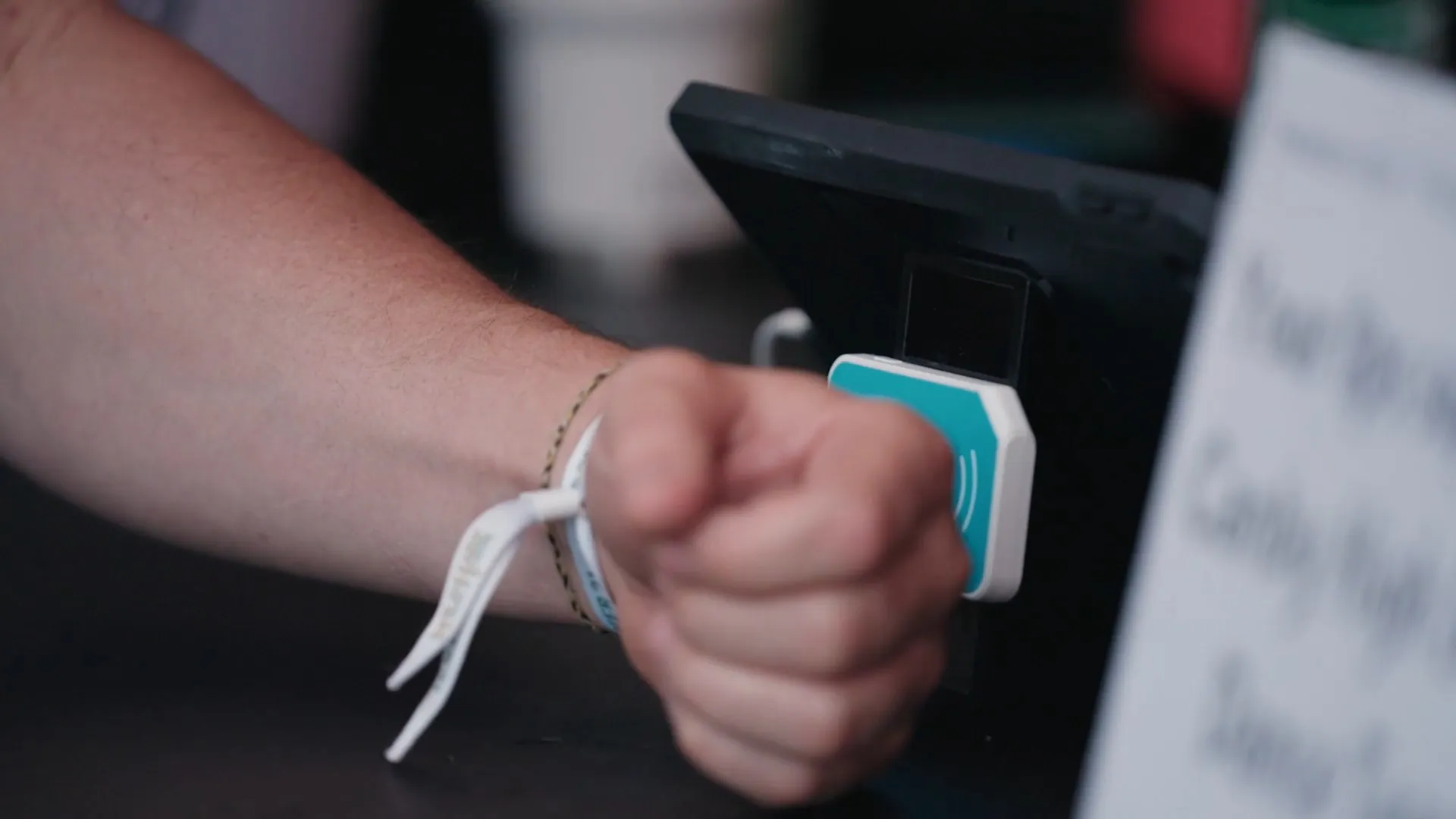
Going to an event with RFID wristbands? Your wristband works like a bar tab. Connect a payment card once, tap to pay at every bar, food stand and booth, and your tab closes out automatically when the event ends.
- Free to use
- No app to download
- Tap to pay in under a second

Quick links
Find what you need
How it works
Your wristband works like a bar tab. See how to get set up before you go.
View your tab
See every purchase, change your tip or update your payment card.
Questions about a charge?
Why you might see temporary authorizations on your card, and when they clear.
Browse attendee help
Step-by-step guides, like connecting a payment card to your wristband.
Still stuck? Contact support and we'll get back to you.
How it works
Like a bar tab, for the whole event
Your wristband is your tab. Tap it to pay at any bar, food stand or booth, and each purchase goes on your tab. When the event ends, we close it out automatically, and you're only charged for what you bought.
1Before you go
Open your tab
Register with the link from the event, often sent with your ticket, and connect a payment card in about a minute. No app needed. We'll send you a QR code to show when you arrive.
2At the event
Tap as you go
Show your QR code and staff will hand you your wristband. Haven't registered? They'll set you up on the spot. Then tap at any bar, food stand or booth, and each purchase goes on your tab.
3After the event
Closes out automatically
We close your tab and charge your card for what you bought. Nothing to settle at the bar. Check your purchases, tip and total anytime from the link we text you.
Good to know
Bring the whole group
Connect wristbands for friends or family and it all goes on one tab. Ask at registration or the support booth.
No wristbands at your event?
Not every event uses them. Where they don't, you pay with a card, Apple Pay or Google Pay as you go, and whether cash is accepted is up to each event.
Why attendees like it
Built so you can enjoy the event
Less time in line
Payments take under a second, so lines keep moving and you get back to the fun.
No tokens or drink tickets
No guessing how many you'll need, no second line to buy more, and none left over.
Never leave a card behind the bar
No handing over your card to keep a tab open, or forgetting it at the end of the night.
Keep track as you go
Your tab is always on your phone, with a receipt by text for every purchase.
Your tab
Your tab, right on your phone
We text you a link to your tab when you register. Open it anytime, during the event or after it.
- See every purchase as you go
- Change your tip
- Update the payment card on your tab
- See the wristbands connected to your tab
Lost the link? Sign in with Google, Apple, Microsoft or Facebook, or with a code sent to your email or phone. No password needed.
Safe and secure
Your payment details stay protected
A wristband is safer to carry than cash or a wallet, and your payment card is protected by the same kind of security banks use.
No card details on your wristband
Your payment card details and personal information are never stored on your wristband. It's a secure ID for your tab, and nothing more.
Bank-grade security
Your card details go straight to Stripe, the payment processor trusted by millions of businesses, encrypted every step of the way. FastBar never sees or stores your full card number.
Only works at your event
Your wristband can't be used anywhere else, and it stops working when the event ends.
Lost your wristband?
Tell staff at registration or the support booth. They can turn it off right away so no one else can use it.
FAQ
Attendee questions
Can't find what you're looking for? Our team is happy to help.
Does it cost anything to use FastBar?
No. There's no fee to use FastBar and no minimum spend. You pay for what you buy, plus any tip or service charge the event sets, and it's all shown on your tab.
Do I need to download an app?
No. You register in your phone's web browser, and your tab is a link we text you. There's nothing to install.
Do I have to register before the event?
It's not required, but it's quicker. If the event sent you a registration link, use it before you go, then show the QR code we send you to pick up your wristband when you arrive. Otherwise, staff at registration will set you up on site.
Can I connect more than one wristband to my tab?
Yes, when your tab uses a payment card. Connect wristbands for friends or family and everything goes on one tab. At the event, ask at registration or the support booth. If you've loaded cash onto your wristband instead, it's one wristband per tab.
Do I need to close my tab?
No. Your tab closes automatically at the end of the event, and your card is charged for what you bought. Some events add a tip automatically, and it's shown on your tab.
Why is there a charge on my card from when I picked up my wristband?
That's a temporary authorization, not a charge. It checks that your card is valid and has funds. It drops off after the event, and you're only charged for what you spend. Understanding authorizations and charges
Why don't the amounts on my bank statement match what I bought?
As your tab grows, FastBar may place temporary authorizations on your card so there are funds to settle it at the end. Depending on your bank and card, these can look different from your purchases. After the event they drop off, and your final charges add up to what you spent. Authorizations usually clear within a few days, but some banks take up to 10 business days. Learn more about authorizations
I paid with Apple Pay or Google Pay. Why don't the last 4 digits match my card?
Your phone pays with its own device account number instead of your real card number, so the last 4 digits are different. If support asks for them, here's how to find them. Finding your device account number
I see a purchase I don't recognize. What should I do?
If other wristbands are connected to your tab, someone in your group may have made it, so check with them first. At the event, visit the support booth. After the event, contact our support team.
Can I use my wristband at other events or stores?
No. Your wristband only works at the event it was issued for.
Is my payment card information safe?
Yes. FastBar uses Stripe, one of the world's largest payment processors, certified to PCI DSS Level 1: the highest level of the security standard set by the major card brands. Your card details are encrypted and go straight to Stripe, so FastBar never sees or stores your full card number, and nothing about your card is stored on your wristband.
How do I delete my FastBar account?
Sign in to your FastBar account, go to Login and Security, and choose Delete Account. More about deleting your account
Running an event?
FastBar is the point of sale built for events, from a single bar to dozens of vendors. See how it works for organizers.