
Product

Not the point of sale
you're used to

FastBar is a modern, cloud-based point of sale purpose-built for events and venues. It takes every way your guests pay, from payment cards to RFID, keeps selling when the internet drops, and your staff will learn it in minutes.

  • Payments in under a second
  • Works offline
  • Staff trained in minutes

The FastBar system

Every way to pay, everywhere you sell, one system

Take payment cards, mobile wallets, cash, room charges and RFID at one bar or a hundred. Your staff sell on the point of sale, you run everything from the Event Control Center, and RFID guests are looked after on site with the Registration app.

Point of sale

Modern, fast and easy to learn

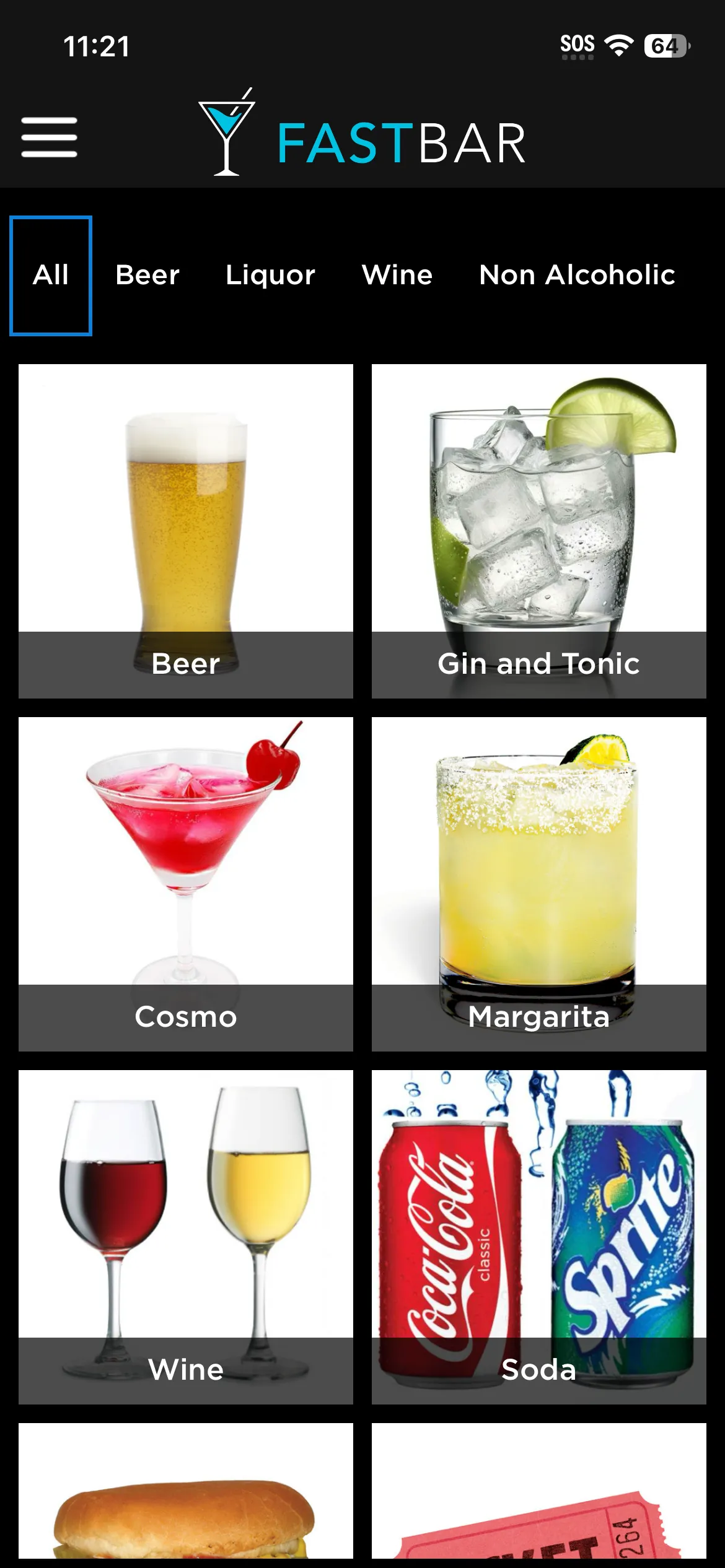
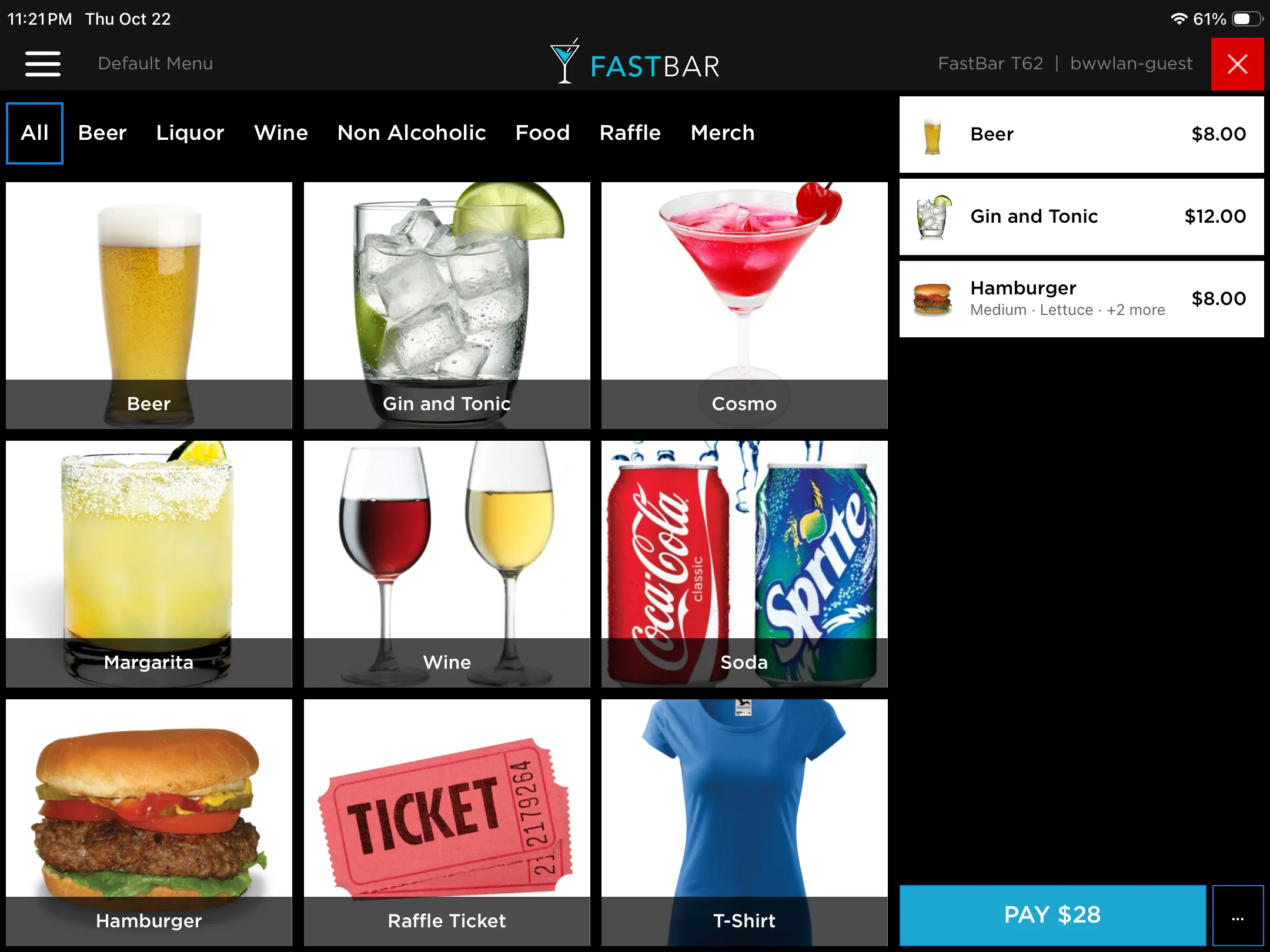
FastBar is a clean, modern point of sale made for the pace of a live event. It's simple to use and simple to learn, and payments take under a second, so lines keep moving. Your staff will love you for choosing it.

  • Takes RFID, payment cards, mobile wallets, cash and room or member charges
  • New staff are ready to sell in minutes
  • Works offline, so a dropped connection never stops a sale
  • Runs on tablets and phones, at the bar or on the move
  • Cloud-based, so menu changes and updates reach every device
Event Control Center

Set up in minutes. See every sale in real time.

The Event Control Center is where you set up products, menus, pricing and payments, and where you watch your event unfold in real time. It's fully cloud-based, so there's nothing to install or maintain, and it works in any browser, from your laptop or your phone.

  • Clean, modern setup that's powerful without being complicated
  • Real-time sales by location, vendor, product and staff
  • A full library of reports, ready the moment the event ends
  • Devices, users and vendors, all managed in one place
  • Fully cloud-based: nothing to install, host or update

On-site RFID management

Issue and manage RFID wristbands on site

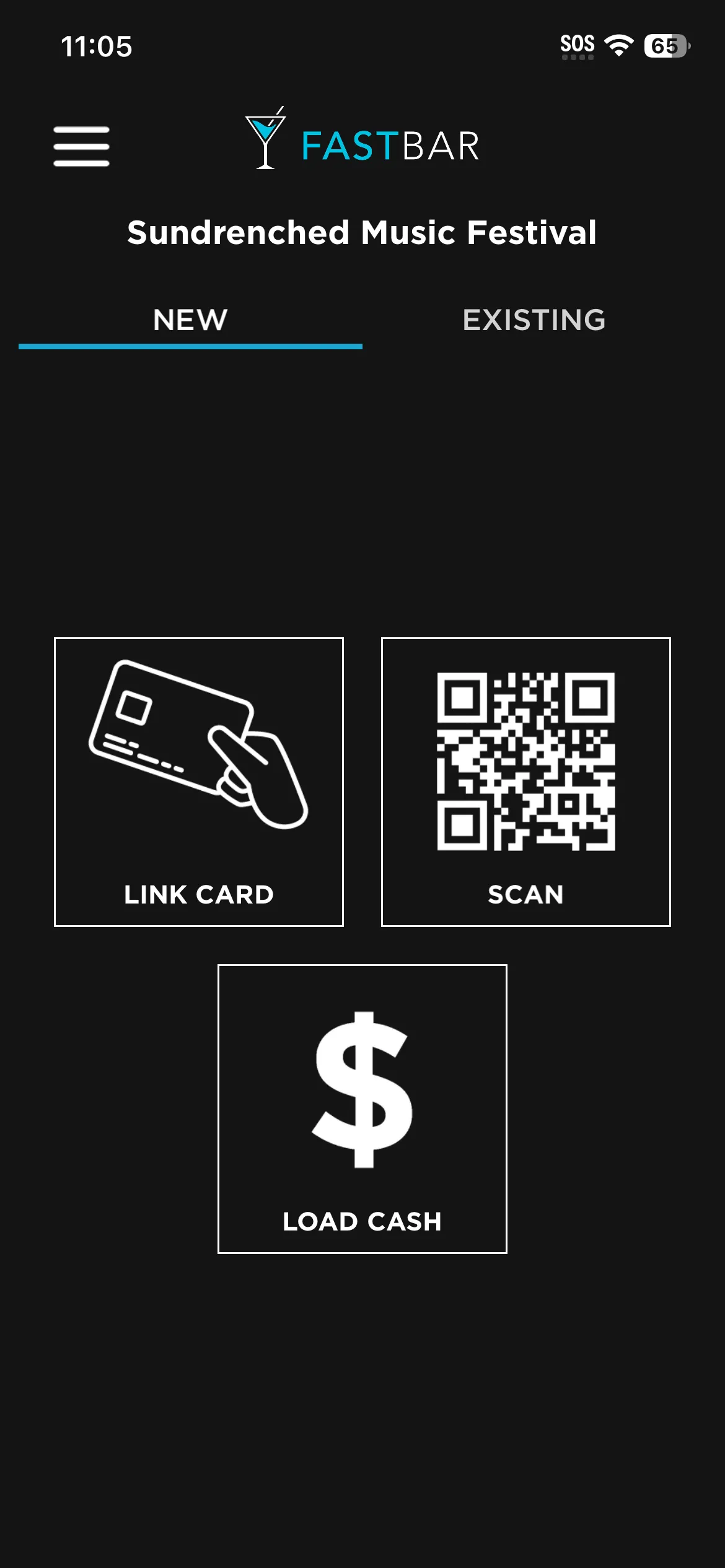
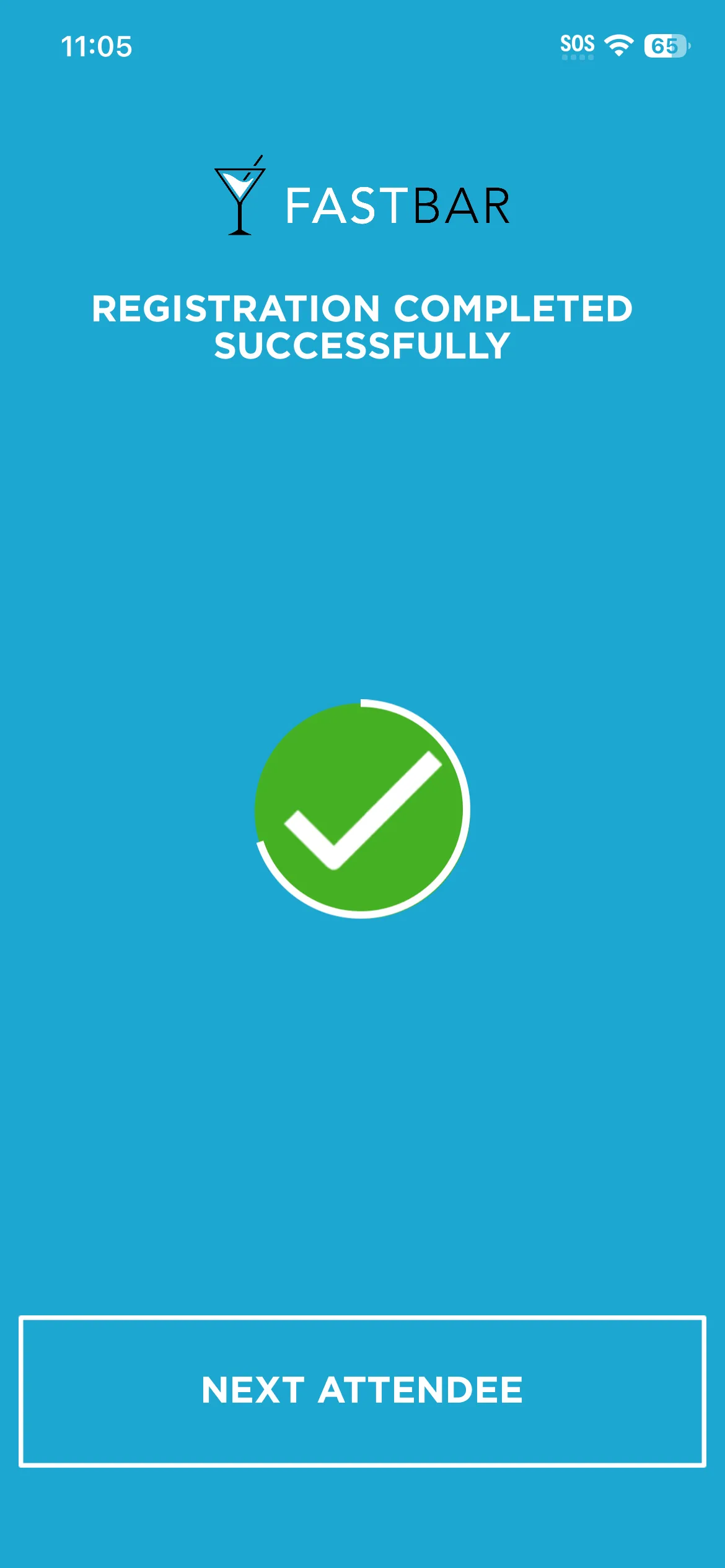
For RFID events, the Registration app is how your team gets wristbands to guests and looks after them on site. Connecting a payment card to a wristband takes seconds, and everything else is a tap away.

  • Issue a wristband and connect a payment card in seconds
  • Add, replace or turn off wristbands
  • Update payment cards, and load or refund cash
  • Look up any guest and see their tab
  • Kiosk mode lets guests register themselves

Built for live events

Built for live events. Battle tested.

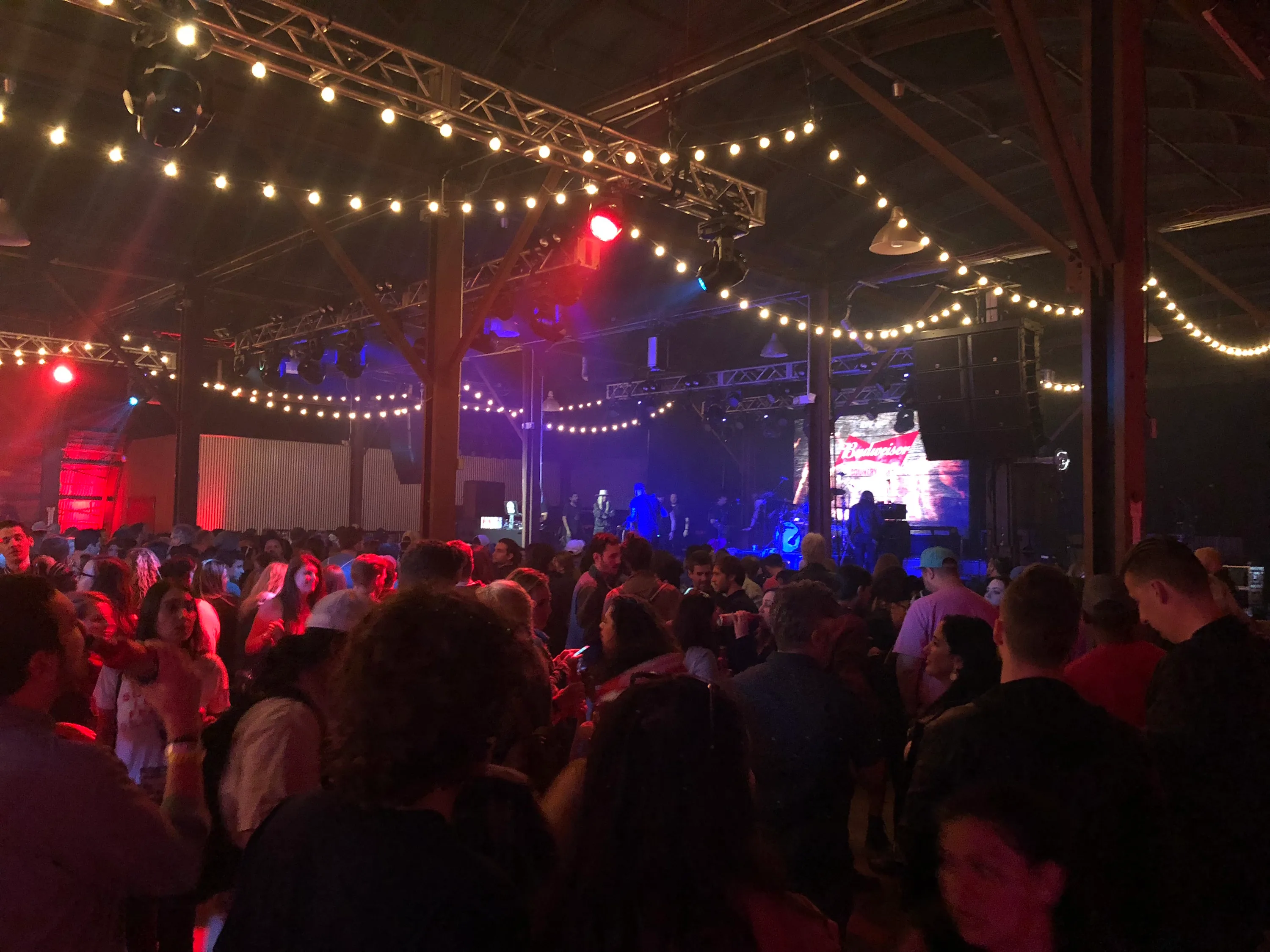
FastBar was built by event operators, for event operators. These are the things events need that a typical point of sale was never designed for.

  • Works offline

    Spotty WiFi, or no internet at all? Every device keeps taking payments, RFID and payment cards included, and syncs automatically once it's back online.

  • No app required for guests

    Guests never download anything. Receipts arrive by text, and their tab is one tap away.

  • Real time, on any device

    Watch your event live from your phone, tablet or laptop, whether you're in the VIP tent, the back office or at home.

  • Role-based access

    Invite your whole team, and choose who can change settings and who can only see reports.

  • Every area reported separately

    Set up locations like Main Stage, VIP Lounge or Parking Lot, and see exactly what each one sold.

  • Attendee types

    General admission, VIP, sponsor, artist. Each type can get its own perks and promotions, and shows up separately in reports.

  • Collect opt-ins and data

    Choose what you collect when guests register, from email to ZIP code, add a marketing opt-in, and survey guests after the event.

  • Easy adjustments

    Refund an item, add a missed charge or change an attendee type in a few clicks, during the event or after.

  • Copy last year's event

    Start your next event from your last one. Products, menus, vendors and settings come along, ready to tweak.

  • Sync settings between events

    Running many events at once? Copy or merge settings, products and menus from one event to the others.

  • Mobile and easy to deploy

    Runs on iPads and iPhones with Stripe card readers. No network cabling required, no servers to host, and light enough to ship anywhere.

  • Support when your event is on

    We'll work side by side with you on site, or back you up remotely, days, evenings and weekends. 24/7 support is available.

Payments

Every way your guests pay, on one system

Payment cards and mobile wallets, RFID, cash, and room or member charges. Mix them at one event, decide which devices take which, and the money goes straight to your own account.

  • RFID

    Guests connect a credit or debit card to a wristband once, then tap to pay in under a second. Or they load cash and spend it down.

  • Payment cards and mobile wallets

    Credit, debit and prepaid cards by tap, chip or swipe, plus Apple Pay and Google Pay.

  • Cash

    Quick-tender buttons show the change due, and optional rounding keeps coins out of the line.

  • Room and member charges

    Charge an order to a hotel room, a member number or any account, then reconcile it in your own system.

  • Credits and drink tickets

    Replace paper tickets and tokens with credits and free items loaded onto an RFID wristband.

  • Your money, straight to your account

    FastBar never holds your money. Payments go straight into your own Stripe account, with no middleman and no waiting on us for a payout.

  • Tipping your way

    Automatic tips, guest-selected tips or none, set for each payment type. On RFID tabs, guests can change their tip until the event closes out.

  • Service fees

    Add a house fee or mandatory gratuity to every order, whatever the payment method, with your own receipt label. Taxed or not, your call.

  • Credit card surcharges

    Pass credit card processing costs on to the guests who pay by credit card, where your jurisdiction allows, and cut your processing costs.

  • Taxes

    Set up every tax your jurisdiction requires and choose which products each one applies to.

  • Event-specific statement descriptors

    Choose what guests see on their bank statement or banking app for each event, so charges are easy to recognize and less likely to be disputed.

  • Fewer fees on voids

    Card payments are captured when the event ends, so an order voided during the event doesn't cost a processing fee. Prefer to capture right away? We can set that up.

  • Help with disputes

    If a guest disputes a charge, generate an evidence packet in one click, from receipts to wristband activity, so it's easy to respond and maximize your chances of winning the dispute.

  • Quick retry on declines

    If a card declines, try it again in one tap without re-entering anything. Staff can key in a card that won't read, if you allow it.

A closer look

RFID: the fastest way to pay

RFID is FastBar's flagship. Guests connect a payment card to a wristband once, then tap to pay in under a second all event long. Lines move faster, nobody fumbles for a card or cash, and there's no tab to settle at the end of the night.

  • Run tabs that close out on their own, or let guests load cash
  • Load credits, free items and promotions onto the wristband
  • Works offline, because balances and perks travel on the wristband
  • A text receipt after every tap
  1. 1. Connect

    The guest connects a credit or debit card to their wristband, online before the event or on site.

  2. 2. Tap

    They tap to pay in under a second at any bar or stand, and get a receipt by text.

  3. 3. Done

    Their tab closes out on its own after the event. Nothing to settle at the bar.

Credits, perks and loaded cash travel on the wristband, so it all works offline.

How RFID works: the guest connects a payment card to a wristband, taps to pay in under a second, and the tab closes out on its own after the event.

A closer look

Charge it to the room, or the member account

Hotels, resorts and private clubs already have a way to bill guests and members. Turn on account charges and staff can take a room number, member number or any account ID right at the point of sale. A reconciliation report lists every charge to post to your own system.

  • Your own label: Room, Member, Account or anything else
  • ID format checks catch typos at the point of sale
  • Guests can still add a tip
  • Export charges and mark them reconciled

Point of sale

$36.50

Member number

20417
Charge to member

Member charges

Ready to post to your member accounts

  • Member 20417

    7:42 pm

    $36.50

    Reconciled
  • Member 11893

    7:45 pm

    $18.00

    Reconciled
  • Member 30562

    7:51 pm

    $54.25

    To post
Example: a $36.50 order charged to member number 20417 at the point of sale, and a list of member charges marked as reconciled or still to post.

A closer look

Run tabs without running up risk

Tabs sell more than pay-as-you-go, but a card that declines at close-out is money lost. You decide how much risk to take: authorize cards for an amount you choose, check them again as spending grows, and set different rules for credit, debit and prepaid cards.

  • Opening authorization for an amount you choose
  • Cards re-checked automatically as tabs grow
  • Separate thresholds for credit, debit and prepaid cards
  • Higher limits for trusted guests, like a hosted group

Tab · Jordan M.

VIP · Visa credit

$112.50

  1. Card connected to wristband

    6:02 pm · $50 authorized to open the tab

  2. Tab passes $50

    8:15 pm · Card checked again before more spending

  3. Event closes out

    11:30 pm · Charged $112.50 for what was bought

Example tab: $50 is authorized when the guest connects a card, the card is checked again once the tab passes $50, and the guest is charged $112.50 when the event closes out.

Point of sale

Built for the people doing the selling

The details that make a shift easier for staff and checkout quicker for guests.

  • Staff login

    Staff sign in with their own code, and every sale and tip is tracked to them, ready to pay out per person or pool.

  • Stats and leaderboard

    Staff see sales by hour, top sellers and how their station ranks. A little friendly competition goes a long way.

  • Each device's own order history

    Staff see only their device's orders, so the one they need isn't buried under 50 other stations. Void, reprint or resend it in a tap.

  • Custom items

    Ring up something that isn't on the menu, like a silent auction lot, with the price set on the spot.

  • Category filters

    Big menu? Staff filter by category to find any item fast.

  • Discounts at the point of sale

    Set up discounts staff can apply at checkout, like staff pricing or a happy hour.

  • Names on orders

    Ask for the guest's name at checkout. It shows on kitchen screens and printed receipts, so orders reach the right person.

  • Text or printed receipts

    Guests get a receipt by text, or on paper when you add a printer. Returning cards are recognized, so there's no asking twice.

  • Low-stock alerts

    With inventory tracking on, the POS flags items that are running low or out, before a guest asks for one.

Promotions and discounts

Perks, comps and discounts, handled automatically

Replace drink tickets, comp lists and staff memory with promotions that apply themselves at the point of sale. Made for VIP hospitality, sponsors and volunteers.

  • Free items

    Electronic drink tickets without the tickets: three free drinks for every VIP, a meal for each volunteer, or merch they bought ahead.

  • Discounts

    Percentage or dollar discounts on chosen products, with time windows and minimum order sizes.

  • Promo credits

    Dollar credits limited to certain products or categories, like $25 for food only.

  • Event credits

    Credits guests can spend on anything, given to everyone of an attendee type or to one person.

  • Comps for a specific guest

    Look after a sponsor, thank a volunteer or make up for a long wait, for one person, without a paper comp list.

  • See what every perk cost

    The Discounts report shows every promotion and discount used, and what it was worth.

A closer look

A promotion engine for every deal you make

Give VIPs three free drinks, but only in the VIP Lounge. Take 10% off merchandise over $75 between 4 and 6 pm. Give one sponsor guest half off merch for the afternoon. Set it up once and the point of sale applies it, with nothing for staff to remember.

  • Free items, dollar credits and discounts
  • Limit to certain products, and so to certain bars or areas
  • Set time windows, usage limits and minimum order sizes
  • Target an attendee type, or one guest
  • Redeems offline, because the perk travels on the wristband
  • Guests see what they have left on their tab page

Promotions

Summer Festival · Saturday
  • 3 free drinks for VIP

    • VIP Lounge drinks only
  • 10% off merchandise for VIP

    • Orders over $75
    • 4 to 6 pm
  • $25 food credit for General admission

    • Food only
  • 50% off merchandise for Sam Rivera (one guest)

    • 3 to 6 pm
Example promotions: three free drinks for VIPs in the VIP Lounge, 10% off merchandise for VIPs on orders over $75 between 4 and 6 pm, a $25 food credit for general admission, and 50% off merchandise for one named guest between 3 and 6 pm.

Multi-vendor support

Every vendor on one system, settled digitally

Food trucks, breweries, bars and merch stands, all on one system. Each vendor sees their own numbers, you see everything, and settlement is a report instead of a late night with a calculator.

  • A login for every vendor

    Each vendor gets its own access to the Event Control Center, as a manager or with reports only.

  • You set the permissions

    Decide whether vendors can add products, change prices or edit menus, and lock it all down before the gates open.

  • Full transparency

    Vendors see their own sales in real time, and you see every vendor's. Both sides work from the same numbers.

  • Settlement reportsNew

    Set each vendor's deal and adjustments, and FastBar works out what each side owes. No spreadsheets.

  • Sales by vendor

    Gross sales, discounts, refunds, tips and tax for every vendor, side by side in one report.

  • Easy vendor onboarding

    Invite vendors by email, see who has accepted, and resend an invitation in a click.

  • A menu for every vendor

    Each vendor gets its own menu automatically, and devices can be limited to the vendors they serve.

  • Vendors' own options

    Each vendor can have its own modifiers and prices, so one stand's oat milk doesn't change another's.

  • Shared products

    Sell the same item at the same price across many vendors, like water or a souvenir cup, with sales credited to whoever sold it.

A closer look

Settlement reports that do the math

Set each vendor's deal once: a commission on sales, or a profit share after costs. Decide who keeps the tips and tax. Add the adjustments that always come up, like ice, power or staff meal vouchers, and FastBar works out what each side owes.

  • Commission or profit share deals
  • Adjustments in either direction
  • Vendors can see their own report, read-only
  • Finalize and export for your accounting

Harbor Street Burgers

Settlement report · Commission deal

Final
Product sales · after discounts and refunds
$18,450.00
Event commission · 24% of product sales
-$4,428.00
Tips · 100% to vendor
$2,214.00
Sales tax · 100% to vendor
$1,660.50

Adjustments

Ice · vendor owes event
-$86.00
Electricity · vendor owes event
-$150.00
Staff meal vouchers redeemed · event owes vendor
+$120.00

Payout to vendor

$17,780.50

Example settlement report for a burger vendor: the event takes a 24% commission on product sales, tips and tax go to the vendor, and adjustments for ice, electricity and staff meal vouchers are applied before the payout.

Deployment and devices

Deploy fast. Stay in control.

Events set up and tear down again and again, and FastBar is built for it. Log in a whole fleet of devices in minutes, set each one up right the first time, and manage them all from one place.

  • QR code device login

    Put a QR code up on your laptop or phone and scan it from each device. Each one is logged in within seconds, with no codes to create or type.

  • Setup wizard

    A step-by-step wizard sets each device's location and menu, and tests its card and RFID readers.

  • Device config profiles

    Decide what each group of devices can do: payment methods, locations, vendors, menus and staff login.

  • Devices dashboard

    See every device on a map with its status, battery, sales and last sync.

  • Remote sign-out

    Lost a device? Sign it out remotely and clear its event data.

  • Automatic sync

    Menu changes, prices and settings reach every device automatically, and sales flow back to your reports in real time.

  • Setup checks

    The apps check your event setup when they start, and explain anything that needs fixing before the doors open.

  • PIN-protected admin

    Admin and cancellation PINs keep device settings and voids in the right hands.

  • Managed for you

    Rental devices arrive set up and managed by FastBar, with app updates handled for you.

A closer look

Control what every device can do

Device config profiles decide what each group of point of sale devices can do. Take cards and cash in the parking lot, where guests don't have RFID wristbands yet, and RFID only inside the gates. Limit each device to its own locations, vendors and menus, so staff only see what they need.

  • Limit payment methods, locations, vendors and menus
  • Require staff login where you need it
  • Pick a profile while deploying and the device is set up in one step
  • Registration devices get profiles too

Event payment methods: RFID, card and cash

Parking lot

4 devices

Payment methods

  • Card
  • Cash

Locations

Parking Lot Bar

Menus

Beer and Water

Staff login

Off

Inside the gates

38 devices

Payment methods

  • RFID

Locations

Main Stage, Food Court, VIP Lounge

Vendors

Event bars only

Staff login

Required

Example point of sale profiles: devices in the parking lot take card and cash at one bar, while devices inside the gates take RFID only, are limited to their own locations and need staff to sign in.

Hardware

Light hardware that goes anywhere

Start with nothing but an iPhone, or build out full stations with card readers, printers and kitchen screens. Everything is mobile, quick to set up and easy to ship.

  • Tablets and phones

    Runs on iPad and iPhone. Use a tablet at the bar and a phone for mobile service, or mix and match.

  • Tap to Pay on iPhone

    Take contactless cards and mobile wallets with nothing but an iPhone. It reads RFID wristbands too.

  • Stripe card readers

    Pocket-sized Bluetooth readers for tap, chip and swipe that pair in seconds and run on battery, or Stripe's internet-connected readers.

  • Customer-facing display

    Guests watch each item and the total as it's rung up, then tip and pay on their own screen. Fewer questions, quicker checkout.

  • Receipt printers

    Print on Star printers over the network, Bluetooth or cable, or on networked Epson and other ESC/POS printers.

  • Automatic cash drawers

    The cash drawer pops open on its own when a cash sale is complete.

  • Kitchen display system (KDS)

    Orders go straight to the right kitchen or bar screen, routed by location. Runs locally with no internet, or through the cloud.

  • RFID readers

    Compact Bluetooth RFID readers for iPads. iPhones read wristbands on their own.

  • Rent, buy or bring your own

    Rent hardware for an event, buy it for your venue, or run FastBar on iPads you already own.

A closer look

Start small, add what you need

The smallest FastBar setup is a single iPhone. From there, add only what your event or venue needs: card readers for chip and swipe, iPad stations for busy bars, and printers, cash drawers and kitchen screens for food service.

  • No servers and no network cables
  • Mix tablets and phones at one event
  • Rent for an event, or buy for your venue
  1. Just an iPhone

    Tap to Pay takes contactless cards and mobile wallets, and the phone reads RFID wristbands too.

  2. Add a card reader

    A pocket-sized Bluetooth reader adds chip and swipe.

  3. Build a bar station

    An iPad with a card reader and an RFID reader, on a stand.

  4. Add printers, cash drawers and kitchen screens

    For kitchens, runners and full venue service.

Hardware options from smallest to largest: an iPhone on its own, then a Bluetooth card reader, an iPad bar station with card and RFID readers, and printers, cash drawers and kitchen screens.

Attendees and RFID

Register guests fast. Look after every tab.

For RFID events, FastBar gives guests quick ways to get a wristband, and gives your team everything it needs to look after them on site and after the event.

  • Online pre-registration

    Guests add their payment card and phone number before they arrive, and learn how FastBar works. On site, they just collect a wristband.

  • On-site registration

    Staff connect a guest's payment card to a wristband in about 15 seconds with the Registration app.

  • Self-service kiosk

    Guests register themselves at an iPad kiosk, so you need fewer staff at registration.

  • Works with your ticketing

    Point ticket buyers to FastBar pre-registration during or after checkout, whichever ticketing platform you use.

  • Quick Check

    Tap a wristband to see whether it's ready to buy, needs a card, or needs setting up, then fix it on the spot.

  • Full guest history

    Look up any guest and see every order, payment, refund and credit in one place.

  • Adjust any tab

    From the Event Control Center, refund an item, add something to a tab, change an attendee type or give a credit.

  • Manage wristbands and cards

    Add or replace wristbands, turn off a lost one, update a guest's payment card, or load and refund cash.

  • Guest tab page

    Guests check their tab, see each charge, change their tip and update their card from a link, during the event or after.

  • Season passes

    Give regulars one reusable wristband or card that works at every event in your season.

  • Surveys

    Guests rate the event and leave comments from their tab page, so you can spot service issues and follow up.

  • Wristband security

    Limit activation to the wristbands you issued, so a stray tag can't be used at your event.

A closer look

Shorter lines at registration

Online pre-registration takes the two slowest steps, the payment card and the phone number, out of the line. Guests also learn how FastBar works before they arrive, so they have fewer questions. On site, a pre-registered guest has a wristband in about 5 seconds, compared with about 15 for someone registering on the spot.

  • Share a pre-registration link with your ticket buyers
  • Your own branded sign-up page, with no app to download
  • Kiosks for guests who'd rather do it themselves

Time at the registration table

  • Pre-registered online

    about 5 sec

    Scan their QR code, hand over a wristband

  • Registered on site

    about 15 sec

    Payment card and phone number, then a wristband

  • Self-service kiosk

    Guests do it themselves, so staff are free for questions

Pre-registered guests take about 5 seconds at the registration table, guests registering on site take about 15 seconds, and kiosks let guests register themselves.

Reporting

Make decisions on data, not gut feel

Know what you're selling, when and where, as it happens. Move staff, restock a bar or change a price while it still matters, then plan your next event on facts.

The report library

  • Dashboard

    Live sales, orders and trends at a glance.

  • Sales Summary

    Sales over time by location and menu, for any part of the event.

  • Sales by Payment Method

    How guests paid: RFID, card, cash or account.

  • Products

    Quantity, discounts, tax, tips and totals for every product, sliced any way.

  • Discounts

    Every discount and promotion used, and what it cost.

  • ModifiersNew

    Which modifiers sell, and the revenue they add.

  • Sales by Vendor

    Totals for every vendor, ready for payouts.

  • Sales by Staff

    Sales and tips for each person, to pay out or pool.

  • Financial

    Payments, captures, fees and payouts for close-out and reconciliation.

  • Event to Event Comparison

    This event against a past one, hour by hour, even while it's live.

  • SettlementNew

    What each vendor or partner is owed, with adjustments.

  • Inventory VarianceNew

    Stock you expected against stock you counted.

  • Attendees

    Registrations by time, location and attendee type.

  • Survey Results

    What guests thought of the event.

  • Account Charges

    Room and member charges to post and reconcile.

  • Sales Data Export

    Every transaction, ready for Excel or your own tools.

  • Filter by anything

    Narrow any report by time, location, vendor, menu, category or device.

  • Custom reports

    Save a report with your own filters, so the view you need is one click away.

  • Report subscriptions

    Your key reports, standard or custom, emailed to the right people when each event ends.

  • Print or export

    A print-friendly view of every report, and a full export of your sales data.

A closer look

The right report in the right inbox

Save a report with your own filters as a custom report, then subscribe your team to it. When each event ends, your GM gets the sales summary, your F&B manager gets products by bar, and nobody has to remember to send anything.

  • Subscribe anyone on your organization or event team
  • Works with custom reports as well as standard ones
  • Perfect for recurring events and nightly close-outs

FastBar · 11:42 pm

Your Sales Summary for Friday Night Concert is ready

The event has ended. Open the report to see how the night went.

Report subscriptions

  • Sales SummaryGeneral manager
  • Products by barCustomF&B manager
  • Sales by VendorVendor coordinator
Example: an email saying the Sales Summary for a concert is ready when the event ends, and a list of report subscriptions for the general manager, the F&B manager and the vendor coordinator.

Your guests shouldn't wait 20 minutes for a beer

See FastBar in action and find out what it could do for your next event.

Book a Demo
  1. 1Tell us about your events. Size, bars, vendors and how you sell today.
  2. 2See it live. A demo built around your setup.
  3. 3Get a plan that fits. Hardware, support and pricing for your events.